Dashboard & Host Overview
The Dashboard serves as your central command center in Containery, aggregating real-time status indicators, system metrics, and disk space statistics across all connected Docker hosts.
1. Dashboard Overview Cards
- Navigation: Dashboard (click the Containery logo in the top-left sidebar or home icon).
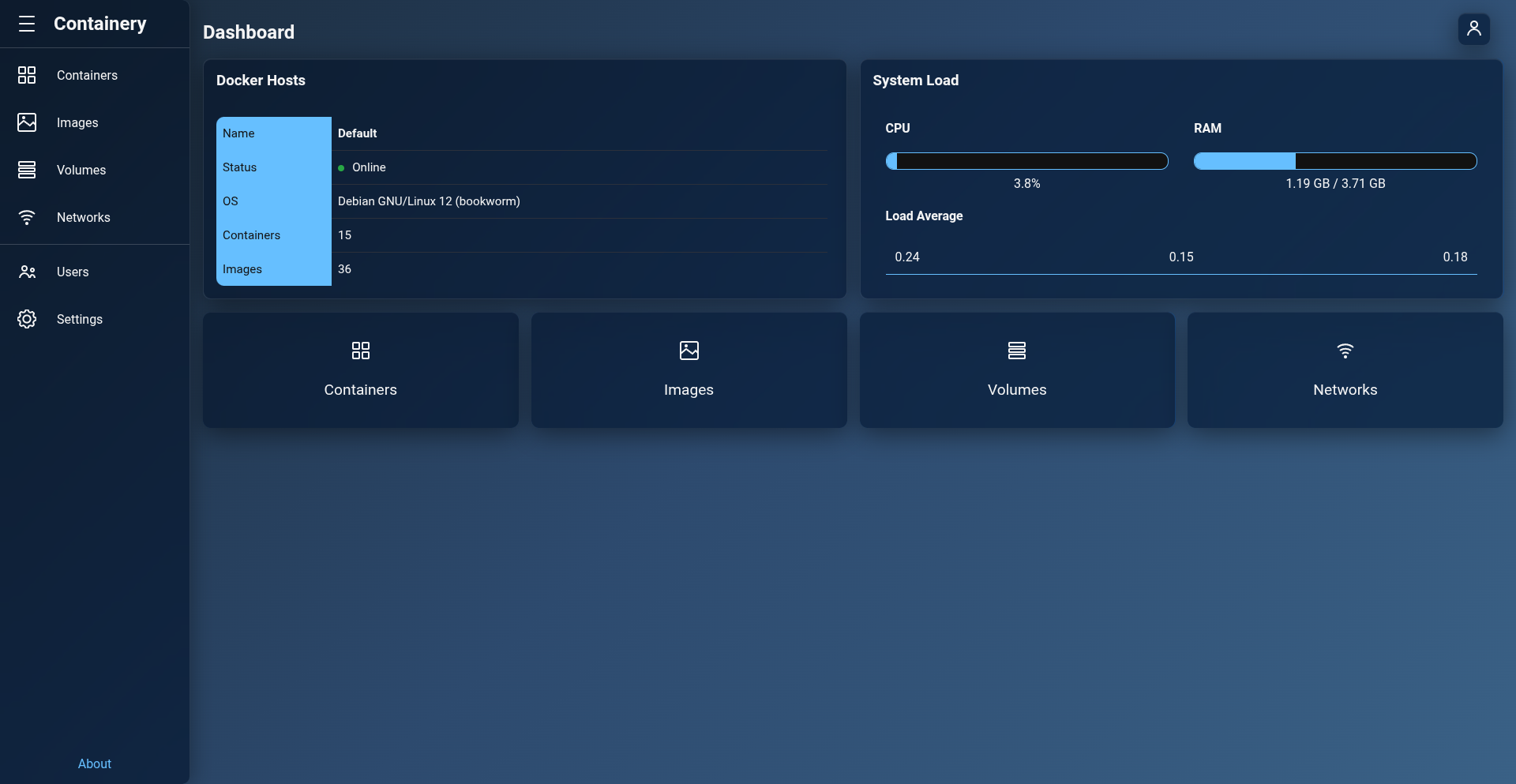
Overview Features
- Multi-Host Aggregation: Displays separate status cards for every enabled Docker host configured in Containery.
- Host Status Indicators:
- Online: The Docker daemon is connected and responding normally over the Unix socket or remote proxy endpoint.
- Offline: The target host is unreachable, offline, or timed out. Displays the connection error details.
- Summary Metrics: Displays the total count of running containers, stopped containers, stored images, Docker Engine version, OS kernel, and CPU architecture.
- Update Notification Banner: Automatically checks GitHub for new Containery releases and displays a banner when a newer version is available.
2. Deep-Dive Host System Statistics
- Navigation: Dashboard > Click Host Card / Info.
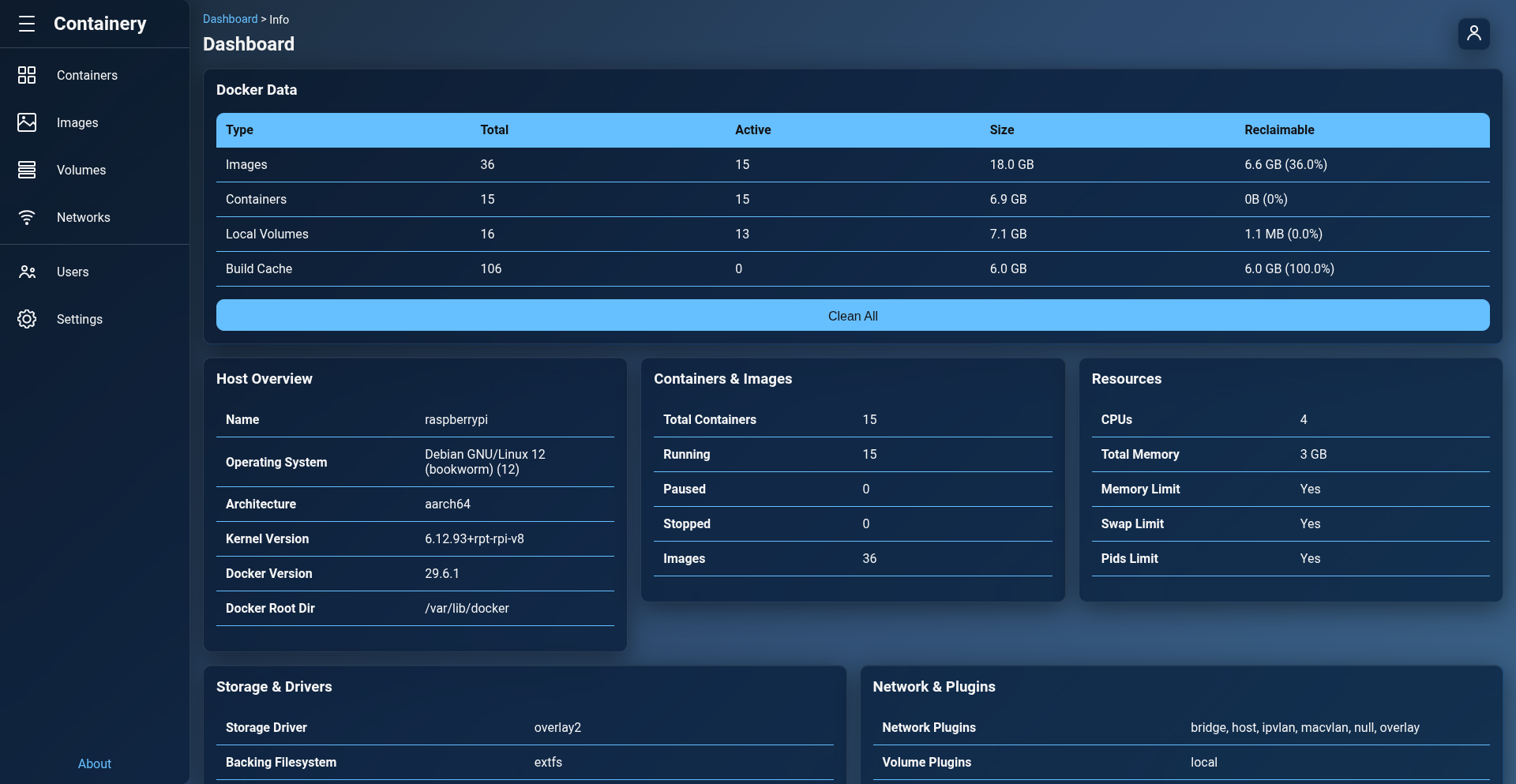
This view fetches detailed system telemetry (docker info) and storage usage (docker df) for the selected Docker host.
Docker System Info (docker info)
- Engine Details: Docker Server Version, Storage Driver (e.g.
overlay2), Logging Driver, Cgroup Driver, Cgroup Version (v1/v2). - Hardware & Limits: Total Memory, CPUs, Memory Limit support, Swap Limit support, OOM Kill Disable support.
- Security & Features: Security Options (e.g.
apparmor,seccomp), Rootless Mode status, Experimental features flag.
Storage & Disk Usage Breakdown (docker df)
View exact disk space usage categorized into four main components:
-
Containers: Total disk space consumed by writable container layers (diff size), total container count, and active running containers count.
-
Images: Disk space consumed by stored Docker images, total image count, and active images in use by containers.
-
Local Volumes: Disk space consumed by local Docker volumes, total volume count, and mounted volumes in use.
-
Build Cache: Reclaimable disk space consumed by Docker build cache objects.